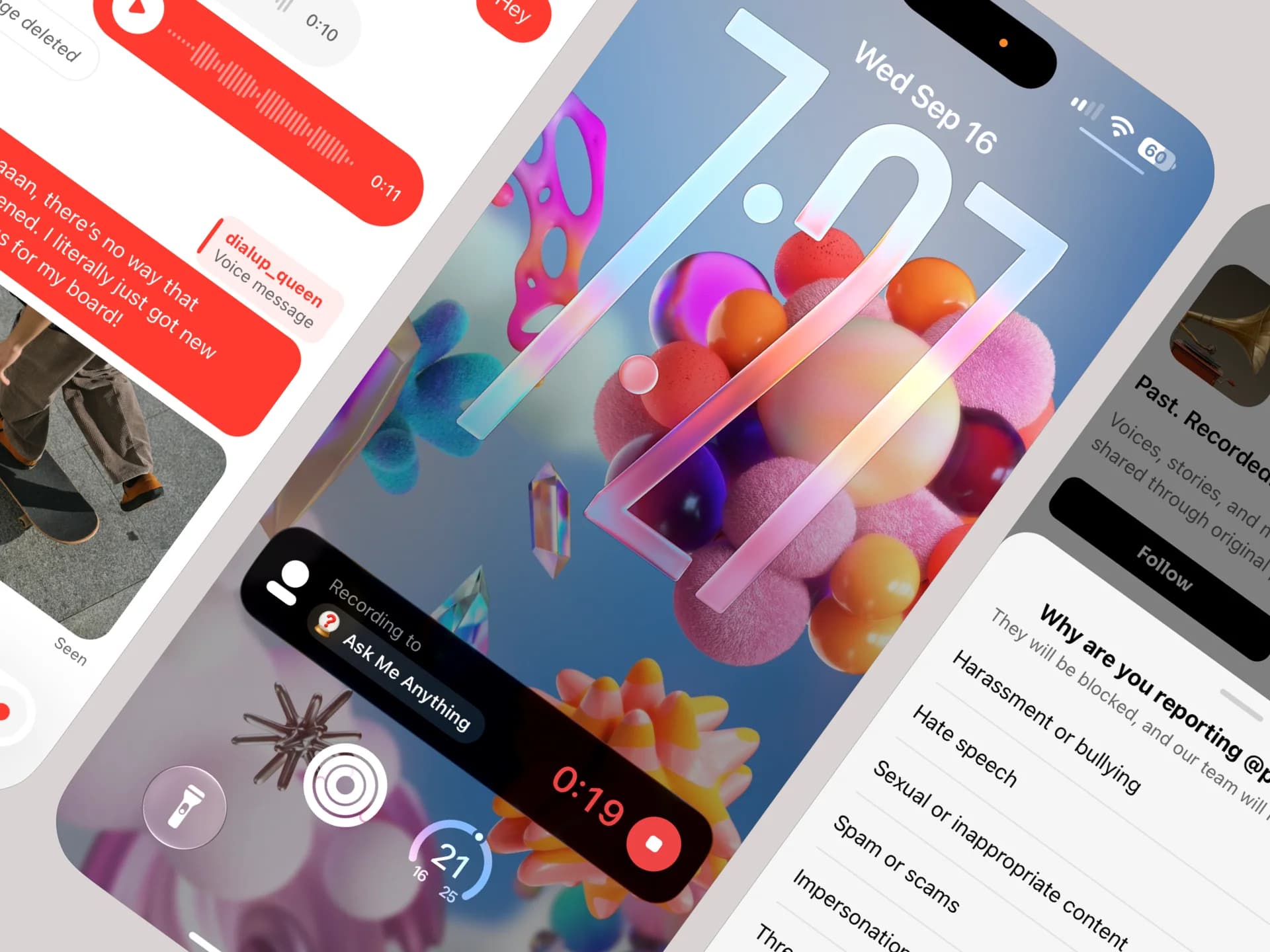
This is a big one. You can now message each other privately, keep recording when you put your phone away, and use Vocial without creating an account first. We’ve also added better reporting tools, introduced ads in a few carefully chosen places, and fixed a number of things that had been quietly broken for far too long.
Direct Messages
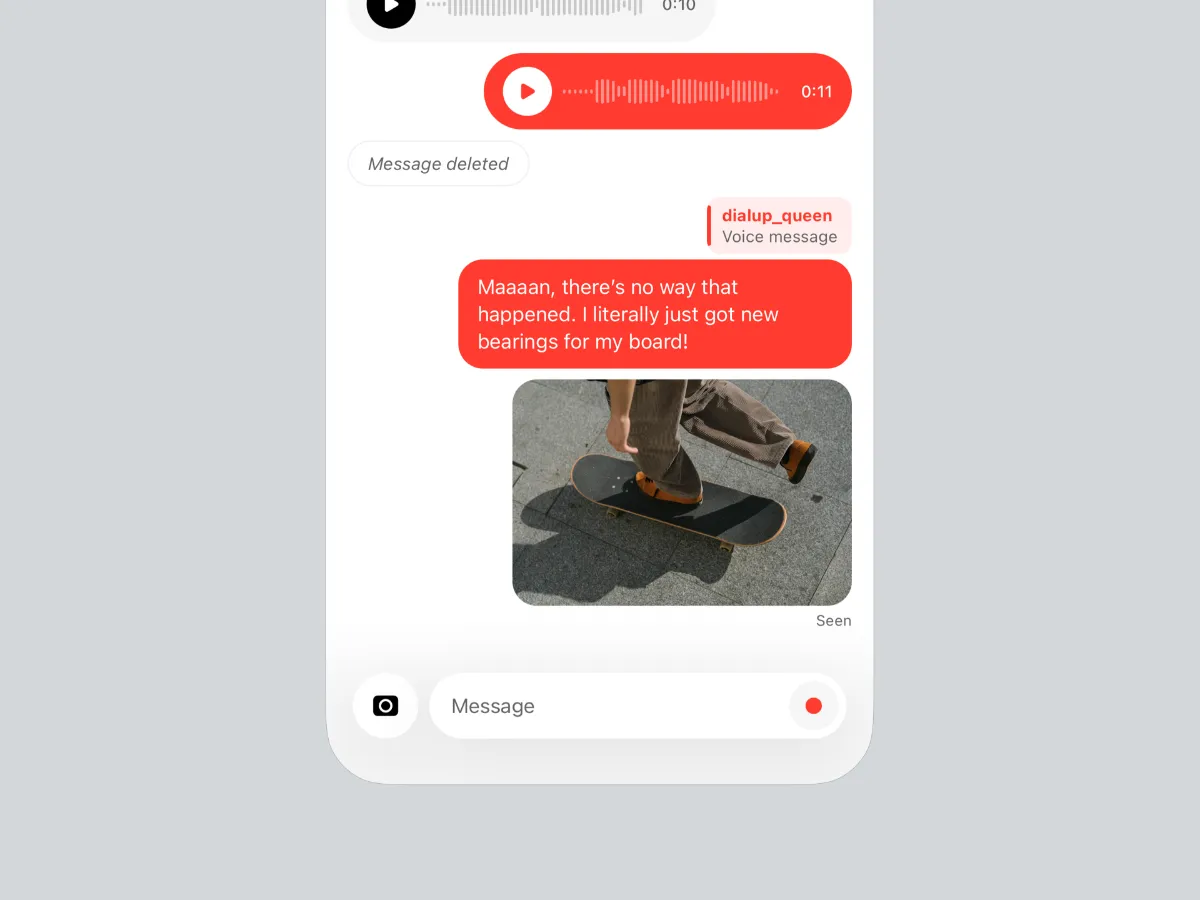
Not every conversation has to be public.
You can now message someone directly with text, a voice message, or a photo.
Both sides can see when a message has been read and when the other person is typing or recording. An unread conversation is marked with a dot rather than a number — because a number asks to be cleared, while a dot simply lets you know something is there.
Messages can also be unsent — and unsent means gone for both of you. The text, audio, or photo disappears from the conversation, leaving only a small marker to show that a message was removed.
Photos sent in Direct Messages are private and can only be accessed as part of the conversation between the two people involved.
Replies keep the original message visible at its full width, so it always stays clear what you’re responding to.
Keep Recording Anywhere
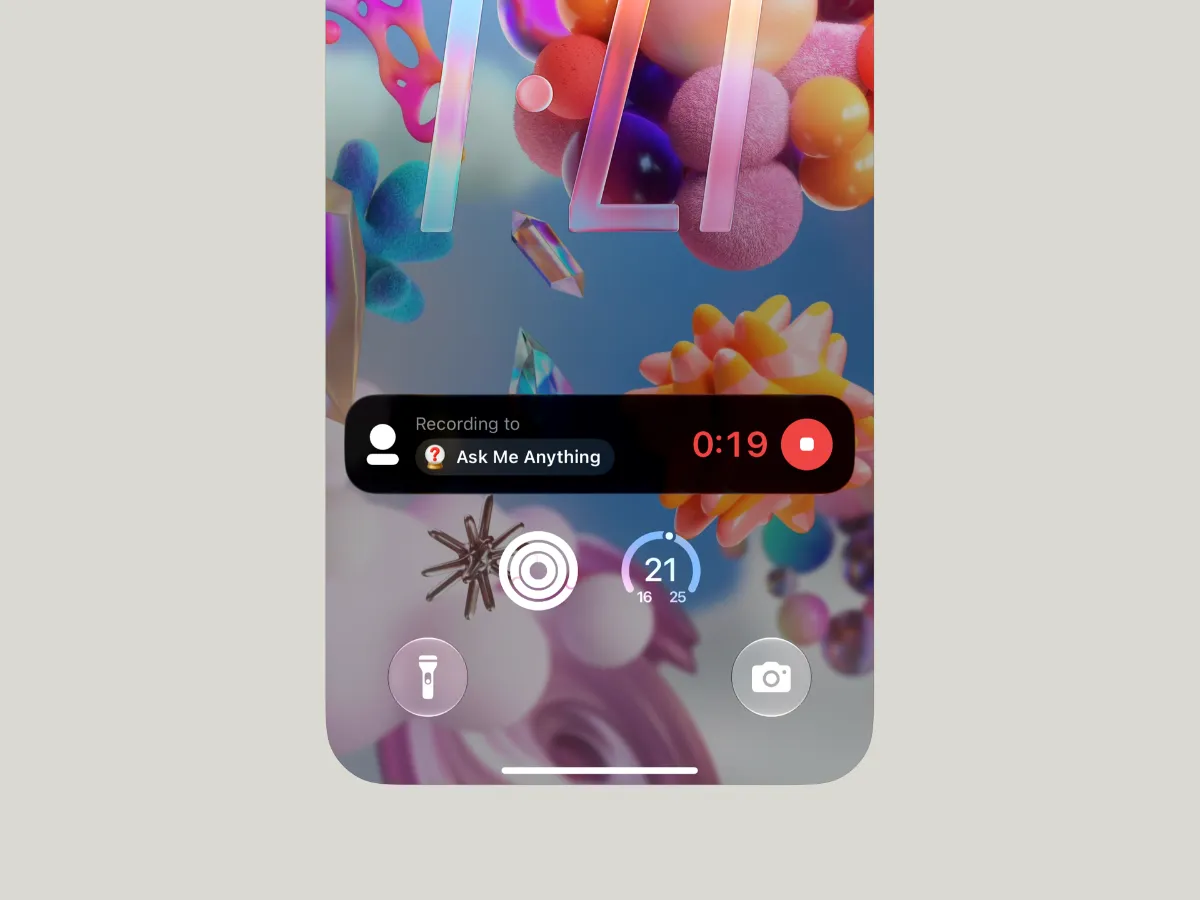
Your thought doesn’t have to stop when you leave the app.
On iOS, an active recording now appears in the Dynamic Island and on the Lock Screen, showing the elapsed time, the category you’re recording into, and a button to stop recording.
More importantly, recording now continues when Vocial goes into the background or your phone is locked.
Start talking, put your phone away, and keep going.
Available on iOS for now. Android needs a little more groundwork before background recording is ready, and we’d rather build it properly than half-ship it.
Better Reporting & Blocking
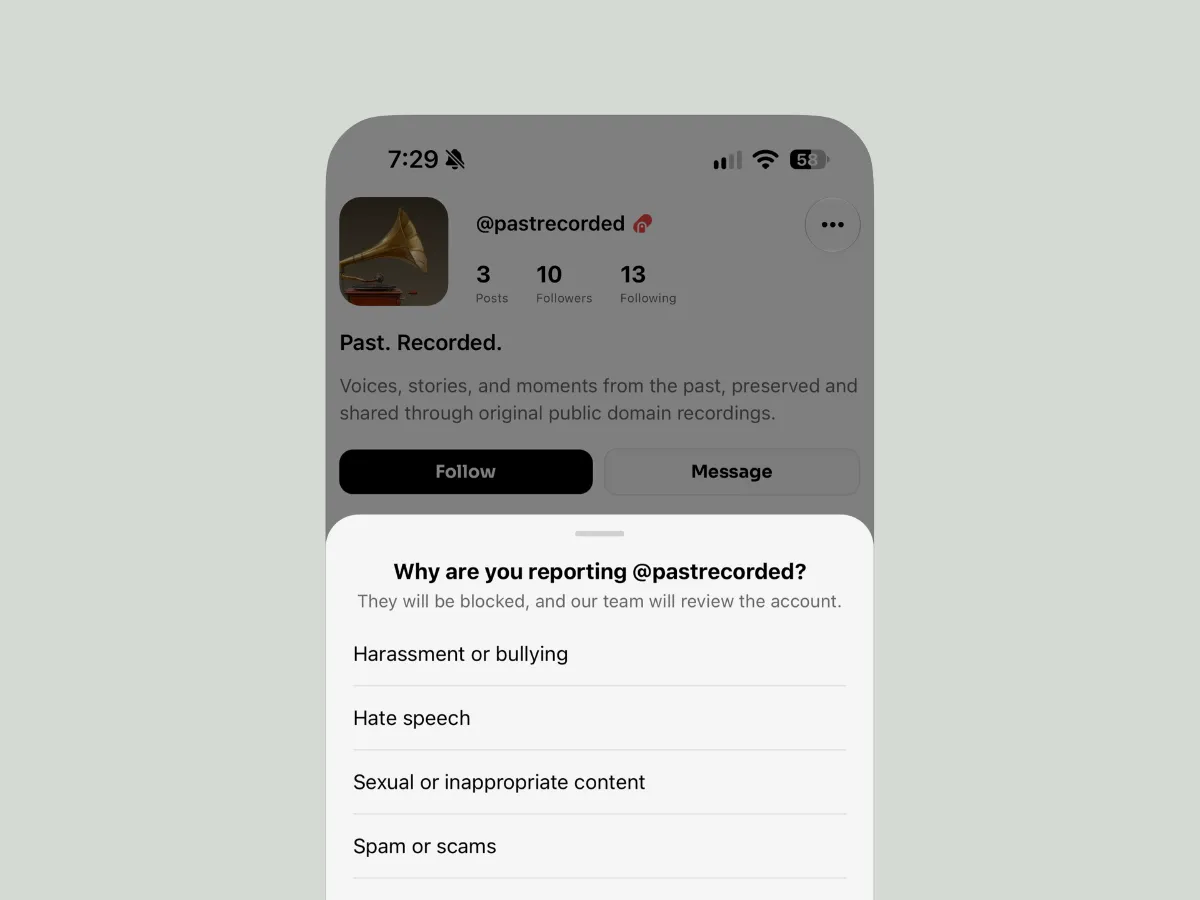
Blocking someone isn’t always an accusation.
The menu on a profile now gives you three options: remove someone as a follower, block them, or block and report them.
Reporting asks for a reason, and choosing one confirms the report — no extra dialog asking whether you really meant it. The same reporting option is available directly from a conversation.
Remove Follower also works properly now. If you tried it before and nothing happened, that was on us.
Beyond Five
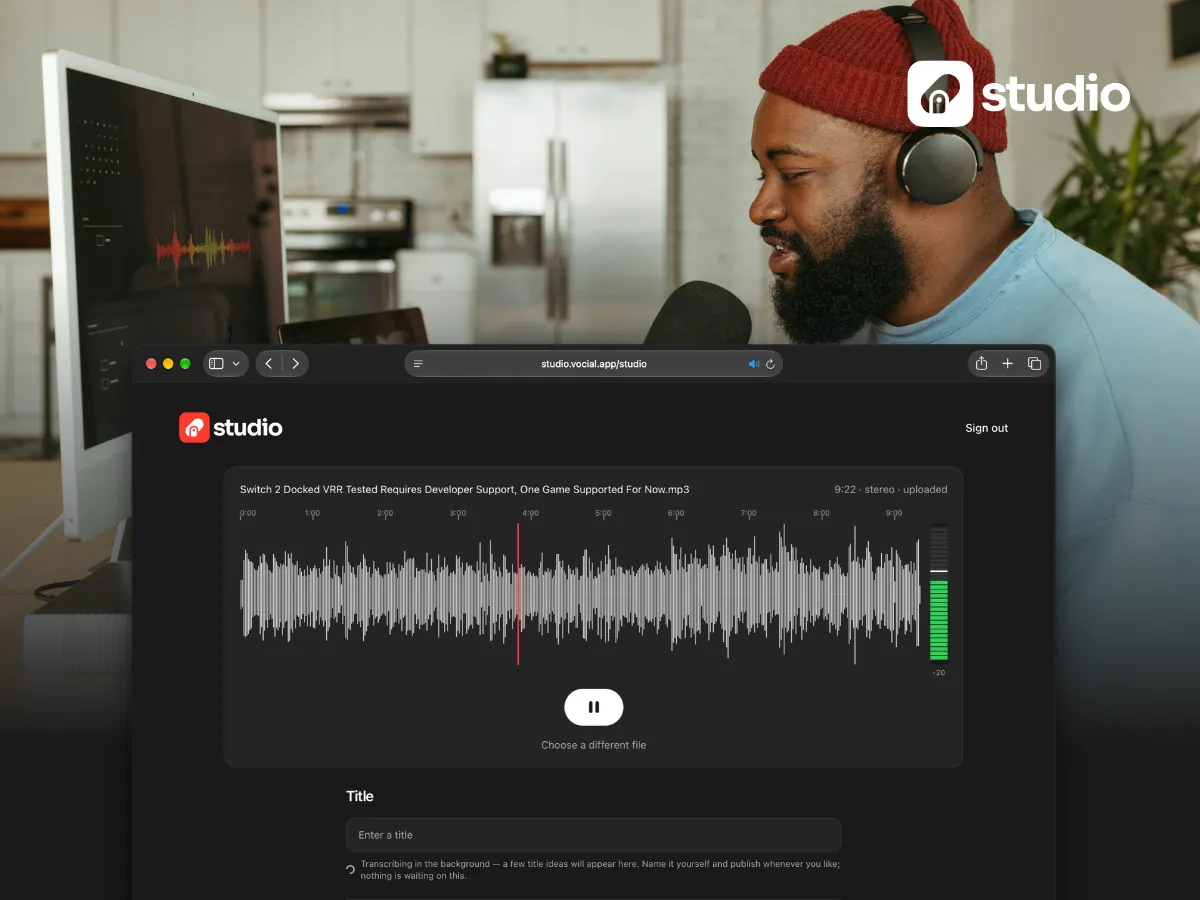
Some things take longer than five minutes to say.
Vocial was built for the short thought — the one you record while walking, whenever something is on your mind. Five minutes is usually plenty. But not always.
And while it’s not part of Vocial 1.5.0, we wanted to share something we’ve already started testing: Vocial Studio.
We kept hearing from people who wanted room for the longer one: an interview, an essay, a story, an episode-length conversation.
Studio is a place on the web to publish long-form audio — up to an hour. Upload a finished recording, give it a title, pick a category, add a cover, listen back with the full waveform, and publish it straight to your Vocial profile.
It’s not a separate app with a separate audience. An episode lands as a post like any other: people can like it, comment on it with their own voice, save it, and share it with a link that works for anyone — Vocial account or not.
Nothing is walled off, and nothing is duplicated. It’s still Vocial, just beyond five.
What comes next is seeing what happens after you publish — listens, likes, comments, and more, all from Studio.
Studio is still in testing, and we’ll be opening it to a first group of people soon. If that sounds like something you’d use, turn on Email Updates in Profile → Settings → Community. We’ll also be reaching out to some people directly through Vocial — now that we have an inbox for that.
A few things shipped between updates and never got their own post.
Vocial now opens without an account. A fresh install no longer starts with a sign-up wall. Home, Buckets, Explore, and the Vault are available right away, and you’re only asked to sign in when you want to record, like, comment, save, or follow.
Profiles now scroll one post at a time, just like the main feed, and audio keeps playing as you move through a profile.
You can add a link under your bio — your Instagram, shop, website, or anywhere else you want people to find you. Links open inside Vocial in a browser that clearly shows which site you’re visiting.
Replies can now be replied to. Conversations in the comments are no longer limited to two levels.
Recordings sound fuller. We’ve improved recording quality so voices retain more of their natural detail and clarity.
Lock Screen controls now work properly on Android. Play, pause, skip, and seek all work without returning to Vocial.
Posting uses roughly half the data it did before. We found and removed an unnecessary duplicate upload.
Setting a profile photo works again, both during sign-up and from your profile. It was broken for about two weeks, and we’re sorry — if you tried and gave up, it’ll work now.
There’s also a new splash screen, shared across both platforms for the first time.
Fixes
Seeking through a post before playing it now starts exactly where you left it.
The category pill on a post card opens that category everywhere it appears.
The back arrow is now consistent across the app.
Sheets drag closed properly again on Android.
Signing out clears the notification dot.
Reconnecting no longer hides messages above the newest ones.
And there are plenty of smaller fixes and improvements throughout the app.
Vocial 1.5.0 is out now on the App Store and Google Play. If you don’t see these updates yet, you can update Vocial manually from the store — or give it a little time to update automatically.